Quick answer: what are the types of schema markup?
Schema markup is a small block of code, usually JSON-LD, that tells search engines exactly what a page contains: a product, a business, an article, an event, a job, and so on. It uses the shared schema.org vocabulary, which currently lists 826 types. Only a small subset of those can unlock special displays in Google Search. Google structured data gallery lists 25 supported features today.
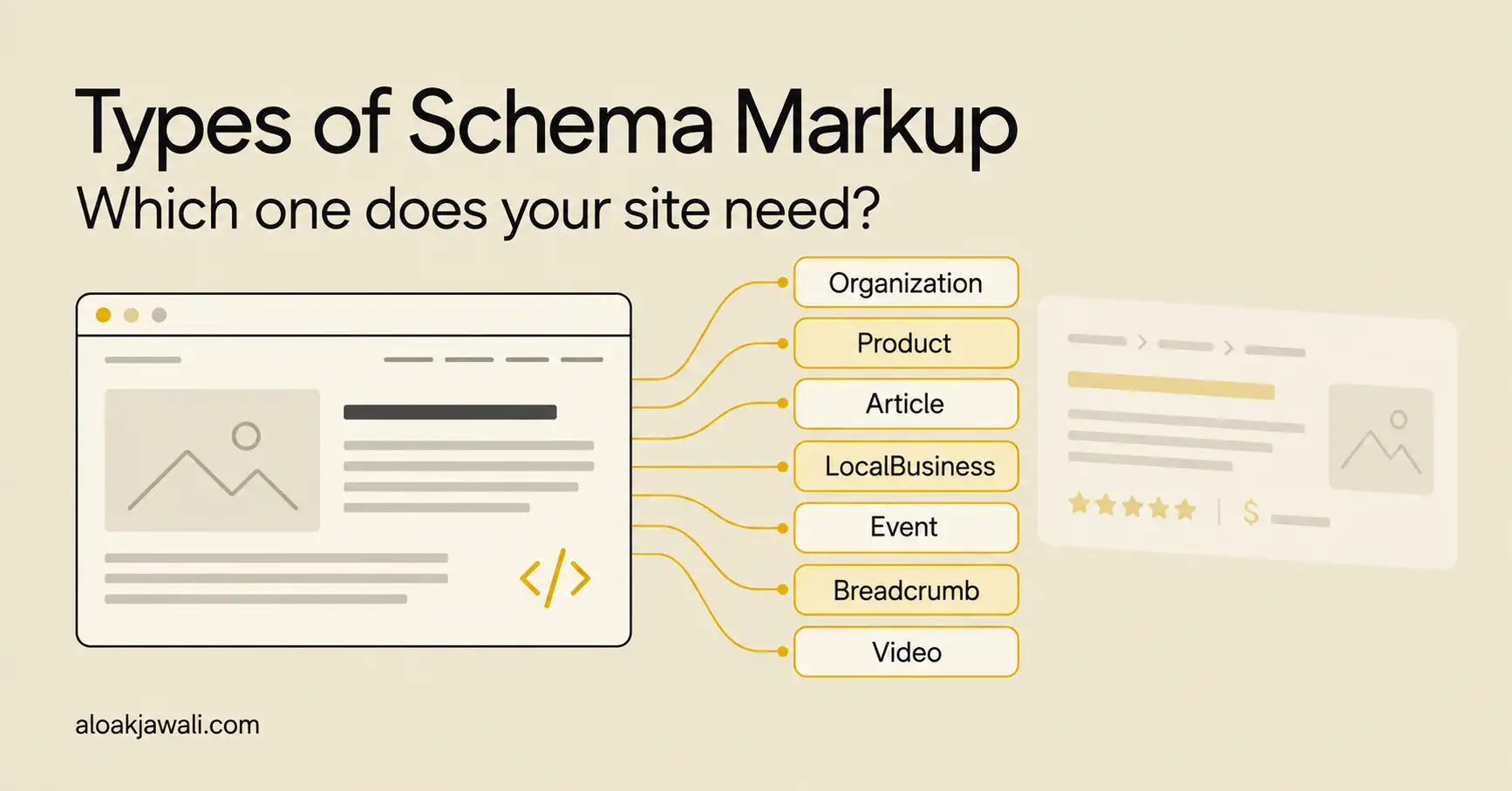
The types most businesses actually use:
- Organization: your brand name, logo, contact details and social profiles
- LocalBusiness: address, opening hours and location for physical or service-area businesses
- Product: price, availability, shipping, returns and ratings for ecommerce pages
- Article: headline, author, date and image for blog and news content
- BreadcrumbList: where a page sits in your site structure
- VideoObject: thumbnail, duration and key moments for video content
- Event, JobPosting, Recipe, SoftwareApplication: for sites built around those content types
The rule for choosing is simple: mark up what the page is mainly about, and only what visitors can see on the page. Then test it with Google Rich Results Test and the Schema Markup Validator.
One expectation to set early: schema makes a page eligible for richer search results. It does not guarantee them, and Google states that structured data manual actions don’t affect how a page ranks in web search.
What is schema markup, in plain English?
Think of schema markup as the nutrition label on a food package. The package design tells a shopper a lot, but the label states the facts in a standard format anyone can read quickly. Your web page is the package. Schema markup is the label, written for search engines.
Without it, Google reads “$29.99” on a page and has to infer whether that is a price, a discount or a shipping fee. With Product markup, you state it directly: this is the price, this is the currency, and the item is in stock.
Three terms get mixed up a lot, so here is how they relate:
| Term | What it means | Example |
| Structured data | Any standardized format for describing page content to machines | The general idea of labeling data |
| Schema.org | The shared vocabulary of types and properties, maintained as an open project | Product, price, availability |
| Schema markup | Structured data written using the schema.org vocabulary and added to a page | A JSON-LD block describing one product |
Formats: JSON-LD, Microdata and RDFa
Google accepts three formats. It recommends JSON-LD because it is the easiest to implement and maintain at scale.
| Format | How it works | Best for |
| JSON-LD (recommended) | A separate <script> block, usually in the page <head> | Almost every site, including WordPress |
| Microdata | Attributes added inside existing HTML tags | Older themes and templates that already use it |
| RDFa | Attributes added to HTML, common in some CMS and publishing setups | Specific CMS and linked-data projects |
For product and tech teams, JSON-LD has a practical advantage: it keeps the markup separate from the visible layout. Designers can change the page without breaking the structured data, as long as the facts stay the same.
Why schema matters: how it helps and what it means for the business
Schema earns its place when it changes how your result looks and how clearly search engines understand your brand. It is not a ranking shortcut. Here is where the value shows up.
- Eligibility for rich results. Star ratings, prices, stock status, breadcrumbs, video thumbnails and event dates all depend on structured data. A richer listing can take more space and answer a shopper’s first question before the click.
- Clearer entity signals. Organization markup connects your name, logo, website and social profiles. That helps Google show consistent brand details in knowledge panels and attribution.
- Cleaner product data. For ecommerce, Product markup on the page works alongside your Merchant Center feed. Consistent price and availability across both reduces mismatches.
- Measurable in Search Console. Once Google detects supported markup, Search Console shows rich result reports, so your SEO team can track valid items and errors over time.
Google has published case studies from sites that added structured data. These are self-reported results from specific sites, so treat them as examples of what is possible, not a forecast:
| Site (per Google) | Reported result |
| Rotten Tomatoes | 25% higher click-through rate on pages with structured data |
| Food Network | 35% increase in visits after enabling search features on 80% of pages |
| Nestlé | 82% higher click-through rate on pages shown as rich results |
Business outcomes to track by schema type
| Schema type | Search feature it can enable | Business metric to watch |
| Product | Price, availability, ratings, shipping and returns in results | Product page CTR, add-to-cart rate from organic |
| LocalBusiness | Hours, address and actions in the knowledge panel | Calls, direction requests, bookings |
| Organization | Logo and brand details in knowledge panels | Branded search CTR, brand consistency |
| Article | Richer article appearance with title and larger images | Organic sessions, newsletter sign-ups |
| VideoObject | Video thumbnails, key moments, live badges | Video views from Search, time on page |
| JobPosting | Listings inside Google’s job search experience | Qualified applications, cost per hire |
| Event | Event listings with dates and venues | Ticket sales, registrations |
What about AI Overviews, AI Mode and AEO?
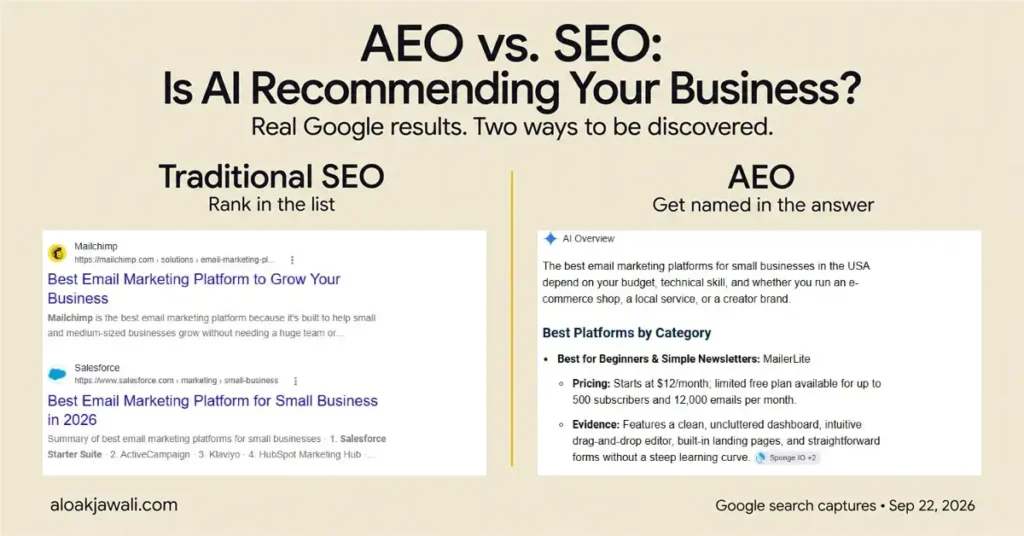
This is where many schema guides overpromise. Google’s guide to optimizing for generative AI features lists “overfocusing on structured data” as a myth. It states that structured data isn’t required for generative AI search and there is no special schema.org markup to add. It also says structured data is still worth using as part of your SEO strategy because it supports rich result eligibility.
My take: use schema to describe your pages accurately, not as an AEO hack. The work that helps you get cited is still clear, original, well-structured content on crawlable pages.
Types of schema markup Google supports (2026)
Google structured data gallery lists 25 features, checked in September 2026. Schema.org has hundreds more types, and you can use them, but these are the ones tied to a visible feature in Google Search.
Business, brand and commerce
| Feature | Main schema.org type | What it can show | Typical user |
| Organization | Organization | Logo, legal name, address, contact details, identifiers | Every company site |
| Local business | LocalBusiness and subtypes | Hours, ratings, directions, booking or order actions | Clinics, restaurants, stores, service businesses |
| Product | Product, Offer | Price, availability, review ratings, shipping, returns | Ecommerce and D2C brands |
| Review snippet | Review, AggregateRating | Star rating or review excerpt | Product, recipe, software, book and local pages |
| Software app | SoftwareApplication | Ratings, description, link to the app | SaaS and mobile apps |
| Vacation rental | VacationRental | Property details, location, ratings | Rental platforms (check eligibility rules) |
The Product feature covers more than one appearance. Google Rich Results Test checks merchant listings, product snippets, return policies, shipping policies and loyalty programs separately.
Content and publishing
| Feature | Main schema.org type | What it can show | Typical user |
| Article | Article, BlogPosting, NewsArticle | Title, images, date, author | Blogs, news, content marketing |
| Breadcrumb | BreadcrumbList | Page position in the site hierarchy | Any site with categories |
| Video | VideoObject | Thumbnail, duration, key moments, live badge | Sites hosting video |
| Image metadata | ImageObject | Creator, license and credit in Google Images | Photographers, stock libraries |
| Profile page | ProfilePage | Details about one person or organization | Author pages, creator platforms |
| Speakable | SpeakableSpecification | Sections suitable for text-to-speech | News publishers |
| Subscription and paywalled content | isAccessibleForFree | Tells Google content is paywalled, not cloaked | Subscription publishers |
| Movie | Movie | Movie carousel with titles and images | Film and review sites |
| Recipe | Recipe | Image, ratings, cook time, calories | Food blogs, recipe sites |
| Carousel | ItemList | A gallery of items from one site | Used with Recipe, Course list, Restaurant or Movie |
Community, jobs, events and education
| Feature | Main schema.org type | What it can show | Typical user |
| Discussion forum | DiscussionForumPosting | Forum threads and replies | Communities, forums |
| Q&A | QAPage | One question with user answers | Q&A communities, support forums |
| Event | Event | Dates, venue, ticket details | Venues, ticketing, conferences |
| Job posting | JobPosting | Listing in Google’s job search experience | Careers pages, job boards |
| Employer aggregate rating | EmployerAggregateRating | Employer rating in job search | Employer review sites |
| Course list | Course | A list of courses from one provider | Edtech, universities |
| Education Q&A | Quiz | Flashcards for students | Study and flashcard sites |
| Math solver | MathSolver | Step-by-step math help | Math learning tools |
| Dataset | Dataset | Listing in Google Dataset Search | Research bodies, open data portals |
Schema types Google no longer shows as rich results
If you read an older schema guide, some of the types it recommends no longer produce a Google feature. The markup can stay on the page, but don’t expect a visual result from it.
| Type | Status | Source |
| FAQ (FAQPage) | Stopped appearing May 7, 2026; documentation removed June 2026 | Google changelog |
| Practice problem | Documentation removed January 2026 | Google changelog |
| Book Actions, Course Info, Claim Review, Estimated Salary, Learning Video, Special Announcement, Vehicle Listing | Phased out from mid-2025 | Google Search Central blog, June 2025 |
| HowTo | Retired in 2023 | Google Search Central announcement, 2023 |
Google’s June 2025 post notes that these changes don’t affect ranking, and that the types can still be used outside Google Search.
Which business should use which type of schema?
Start with the business model, then map schema to page templates, not to individual URLs. A template-level plan scales: one Product template can mark up 5,000 product pages.
| Business type | Key page templates | Schema to prioritize | Usually skip |
| D2C and ecommerce brand | Home, category, product, blog | Organization, Product with Offer, AggregateRating (real reviews only), shipping and return policy, BreadcrumbList | LocalBusiness if you have no physical store |
| SaaS or tech startup | Home, product or pricing, blog, careers | Organization, SoftwareApplication, Article, VideoObject for demos, JobPosting | Product markup on feature pages that aren’t sold as items |
| Local service business | Home, location pages, services | LocalBusiness subtype (for example Dentist, Restaurant, Plumber), Organization | Star ratings from reviews about your own business (see below) |
| Multi-location retail or franchise | Store locator, individual store pages | One LocalBusiness per location page, Organization on the main site | Putting every location’s markup on the homepage |
| Publisher or blog | Articles, author pages, categories | Article or BlogPosting, ProfilePage and Person for authors, BreadcrumbList | Markup for content not visible on the page |
| Media and video creators | Video pages, series pages | VideoObject with key moments, Article for write-ups | Video markup on pages where the video isn’t the main content |
| Events and ticketing | Event pages, venue pages | Event, Organization | Events that are sales or coupons presented as events |
| Recruiters and HR teams | Careers, job detail pages | JobPosting, Organization | Keeping expired jobs marked up |
| Edtech and course providers | Course catalog, lessons | Course (list), Quiz, MathSolver where relevant | Course Info markup (retired) |
| Communities and support forums | Threads, Q&A pages | DiscussionForumPosting, QAPage | FAQPage for user-generated questions |
| Recipe and food sites | Recipe pages | Recipe, VideoObject, ItemList for carousels | Recipe markup on non-recipe content |
One rule catches a lot of local and service businesses. Google review snippet documentation links to its guidelines on self-serving reviews for LocalBusiness and Organization: reviews you host about your own business aren’t eligible for star snippets. Your Google Business Profile is the better place for those reviews.
Which types of websites benefit most from schema.org markup?
Sites where Google has a matching feature and the query has commercial or practical intent tend to see the clearest benefit:
- Ecommerce stores, because price, availability and ratings help shoppers compare before clicking
- Local businesses, because hours, location and actions answer “near me” intent
- Job boards and careers pages, because JobPosting feeds Google’s job search experience
- Event, recipe and video sites, because each has a dedicated display
A B2B services site with mostly informational pages can still use Organization, Article and BreadcrumbList. The visible payoff will usually be smaller, so keep the effort in proportion.
How to choose the right schema: a 5-question framework
Run each page template through these questions, in order. If a template fails question 1 or 2, stop there.
- What is this page mainly about? Pick one primary type that matches the main content: a product, an article, a job, a location. Google’s guidelines ask you to include the main type that reflects the page’s focus.
- Is every fact I plan to mark up visible on the page? If the price, rating or author isn’t shown to visitors, don’t put it in the markup.
- Does Google have a feature for this type? If yes, follow that feature’s required and recommended properties. If no, the markup can still describe the page, but set expectations accordingly.
- What supporting types add context? Common pairs: Product + BreadcrumbList, Article + Person author, Recipe + VideoObject. Link related items with @id.
- Who keeps it accurate? Prices, stock, job status and event dates go stale. Assign an owner or generate the markup from the same data source as the page.
Worksheet for your team
Copy this into a spreadsheet and fill one row per template.
| Page template | Example URL | Primary type | Supporting types | Required properties present? | All facts visible? | Tested in both tools? | Owner |
| Product page | /products/… | ||||||
| Blog post | /blog/… | ||||||
| Location page | /locations/… |
Worked example (hypothetical)
This is an illustrative example, not a real client. Imagine a D2C protein powder brand with a Shopify-style store, a blog and one flagship retail store.
| Template | Schema plan | Why |
| Homepage | Organization with logo, sameAs social links, contact point | Establishes the brand entity once |
| Product page | Product + Offer (price, currency, availability), AggregateRating from on-page reviews, shipping and return details, BreadcrumbList | Supports merchant listing and product snippet eligibility |
| Collection page | BreadcrumbList | Product rich results are meant for individual product pages, not lists |
| Blog post | BlogPosting with Person author, BreadcrumbList | Clear authorship and site structure |
| Retail store page | LocalBusiness subtype Store with address, hours, geo | Matches the Business Profile listing |
| Old FAQ block on product pages | Keep the visible FAQ for shoppers; FAQPage markup is optional | FAQ rich results no longer appear in Google Search |
Quick pre-launch checklist
- ☐ One primary type per template, matched to the main content
- ☐ All required properties from the Google feature guide are filled
- ☐ Every marked-up fact is visible on the page
- ☐ No duplicate markup from two plugins or a plugin plus theme
- ☐ Prices, stock and dates pull from the live data source
- ☐ Rich Results Test shows no errors for the Google feature
- ☐ Schema Markup Validator shows no syntax or vocabulary errors
- ☐ Search Console rich result reports checked after launch
How to add schema markup to a website
There are three common routes. Pick based on who owns the site and how custom your templates are.
| Method | How it works | Good for | Watch out for |
| SEO plugin (WordPress) | Plugins such as Yoast SEO, Rank Math or AIOSEO output Organization, Article and BreadcrumbList automatically; WooCommerce adds product data | Small teams, blogs, standard stores | Two plugins outputting the same types; generic settings left unfilled |
| Template code (JSON-LD in the theme or app) | Developers generate JSON-LD from the same data that renders the page | Custom sites, headless builds, large catalogs | Needs dev time and a test step in releases |
| Tag manager or JavaScript | Markup injected after page load | Quick pilots when theme access is limited | Google can read JavaScript-generated structured data, but it adds a rendering dependency; test the rendered page |
Step by step
- Map templates to types using the framework above.
- Read the Google feature guide for each type and list its required and recommended properties.
- Check what already exists. Paste a live URL into the Rich Results Test before adding anything. Many WordPress sites already output markup through the theme or an SEO plugin.
- Write or configure the JSON-LD. Keep one source of truth for each type.
- Test the code snippet, then test the live URL after publishing.
- Monitor Search Console rich result reports for errors and warnings.
Worked example: Restaurant schema in JSON-LD for a local service business
PERU FOOD in Oakland is used here for illustration. The street address, phone number, coordinates, hours and URLs are placeholders. This block would sit on the restaurant’s homepage or location page, and every value must match what the page and the Google Business Profile show.
Restaurant is a subtype of LocalBusiness. Google guidelines ask you to use the most specific type that fits, so a restaurant should use Restaurant rather than the generic LocalBusiness.
<script type="application/ld+json">
{
  "@context": "https://schema.org",
  "@type": "Restaurant",
  "@id": "https://www.example.com/#restaurant",
  "name": "PERU FOOD",
  "url": "https://www.example.com/",
  "image": "https://www.example.com/images/peru-food-lomo-saltado.jpg",
  "description": "Peruvian restaurant in Oakland serving ceviche, lomo saltado and pollo a la brasa.",
  "telephone": "+1-510-555-0142",
  "priceRange": "$$",
  "servesCuisine": "Peruvian",
  "menu": "https://www.example.com/menu/",
  "acceptsReservations": "True",
  "address": {
    "@type": "PostalAddress",
    "streetAddress": "100 Example Street",
    "addressLocality": "Oakland",
    "addressRegion": "CA",
    "postalCode": "94612",
    "addressCountry": "US"
  },
  "geo": {
    "@type": "GeoCoordinates",
    "latitude": 37.8044,
    "longitude": -122.2712
  },
  "openingHoursSpecification": [
    {
      "@type": "OpeningHoursSpecification",
      "dayOfWeek": ["Tuesday", "Wednesday", "Thursday", "Sunday"],
      "opens": "11:30",
      "closes": "21:00"
    },
    {
      "@type": "OpeningHoursSpecification",
      "dayOfWeek": ["Friday", "Saturday"],
      "opens": "11:30",
      "closes": "22:00"
    }
  ],
  "sameAs": [
    "https://www.instagram.com/example-peru-food"
  ]
}
</script>
What each part does:
- @type: Restaurant: tells Google this is a restaurant, not just any local business
- @id: a stable identifier so other markup on the site (menu or event pages) can point back to the same restaurant
- name, address, telephone: the core business details, written exactly as on the Google Business Profile
- geo: map coordinates for the location
- openingHoursSpecification: open 11:30 a.m. to 9 p.m. Tuesday to Thursday and Sunday, and until 10 p.m. Friday and Saturday; Monday is left out because the restaurant is closed
- servesCuisine, priceRange, menu, acceptsReservations: details diners check before choosing where to eat
- sameAs: links the restaurant to its official social profiles
Why there are no star ratings in this example: Google treats reviews a business hosts about itself as self-serving, so they aren’t eligible for review snippets under LocalBusiness. PERU FOOD’s reviews belong on its Google Business Profile, where diners already look for them.
Keeping it accurate: Update the markup whenever hours change, especially holiday hours. Markup that says “open” when the Business Profile says “closed” sends mixed signals to Google and to diners.
On WordPress, a block like this usually goes on the homepage or the location page, added through a code snippets plugin or your SEO plugin’s local business settings. If your SEO plugin already outputs LocalBusiness or Organization, extend that output instead of adding a second one.
How to test schema markup: Rich Results Test vs Schema Markup Validator
Use both tools. They answer different questions.
| # | Google Rich Results Test | Schema Markup Validator |
| Question it answers | Is this page eligible for a Google rich result? | Is this valid schema.org markup? |
| Types covered | Only Google-supported rich result types | Any schema.org type |
| Input | Live URL or code snippet | Live URL or code snippet |
| Formats | JSON-LD, Microdata, RDFa | JSON-LD, Microdata, RDFa |
| Extras | Crawl check, smartphone or desktop user agent, search preview for some types, shareable results for about 90 days | Shows the full extracted structure, including types Google ignores |
| Best used for | Launch checks on product, article, local, video and job pages | Debugging nesting and vocabulary, and checking types outside Google’s gallery |
Details above are from Google Rich Results Test help page.
A simple testing workflow
- Paste the code snippet into the Rich Results Test before publishing. Fix errors (missing required properties) first, then review warnings (missing recommended properties).
- Run the same snippet through the Schema Markup Validator to catch vocabulary or nesting issues.
- Publish, then test the live URL in the Rich Results Test. This confirms Google can crawl the page and see the rendered markup.
- Inspect the URL in Search Console and request indexing if the page is new.
- Check the rich result reports in Search Console over the following weeks.
Two practical notes from Google’s documentation. The Rich Results Test ignores comments inside JSON-LD, but the JSON-LD standard doesn’t support them, so remove comments before publishing. And a page that is blocked by robots.txt or noindex can’t be tested at all.
A valid result in either tool means the page is eligible, nothing more. Google does not guarantee that correct markup will produce a rich result.
Common schema mistakes (and how to fix them)
Most of these come straight from Google general structured data guidelines. Breaking the quality rules can lead to a manual action that removes rich result eligibility.
| Mistake | Why it’s a problem | Fix |
| Marking up content visitors can’t see | Google asks that marked-up content be visible on the page | Only mark up facts shown on the page |
| Fake or self-serving reviews | Can lead to a manual action | Use genuine on-page reviews; keep business reviews on your Business Profile |
| Wrong type for the content | Google’s example: a woodworking site labeling instructions as recipes | Match the type to the page’s main purpose |
| Missing required properties | Items without them aren’t eligible for rich results | Follow each feature guide’s required list |
| Stale prices, stock or dates | Google won’t show rich results for outdated time-sensitive content | Generate markup from live data |
| Duplicate output from plugins and theme | Conflicting values for the same item | Keep one source per type; check with the Rich Results Test |
| Blocking pages with robots.txt or noindex | Google can’t read the markup | Keep marked-up pages crawlable and indexable |
| Treating schema as a ranking or AEO hack | Google says no special markup is needed for AI features | Use schema for accuracy, invest in content quality |
Recent changes worth knowing
| Date | Change | What to do |
| June 2026 | Google removed FAQ rich result documentation | Keep useful on-page FAQs; drop FAQ rich result tracking |
| May 2026 | Google published its guide to optimizing for generative AI features, calling out “overfocusing on structured data” as a myth | Don’t sell or buy schema as an AI visibility fix |
| May 7, 2026 | FAQ rich results stopped appearing in Google Search | Remove FAQ CTR targets from reports |
| January 2026 | Practice problem documentation removed | Edtech sites: review Quiz and Math solver instead |
| September 2025 | Six retired types removed from Search Console reports and the Rich Results Test | Clean up dashboards that tracked them |
| June 2025 | Google announced it would phase out seven lesser-used types | Stop building new markup for those features |
Sources: Google Search Central documentation updates, Simplifying the search results page (June 2025)
FAQs about schema markup
1. What is schema markup in layman’s terms?
Schema markup is a label for search engines. It states facts about a page in a standard format, such as “this is a product, it costs $49.99, and it’s in stock,” so search engines don’t have to guess.
2. How many types of schema markup are there?
Schema.org lists 826 types. Google Search supports 25 structured data features in its gallery, and each feature uses one or more of those types. Most businesses need five to eight types in practice.
3. Does schema markup improve SEO rankings?
Not directly. Schema helps search engines understand a page and makes it eligible for rich results, which can improve click-through rate. Google notes that even a structured data manual action only removes rich result eligibility and doesn’t change how the page ranks.
4. What is the best schema for SEO?
There is no single best type. The best schema is the one that matches the page’s main content: Product for product pages, Article for blog posts, LocalBusiness for location pages. Organization and BreadcrumbList are useful on almost every site.
5. Is FAQ schema still worth adding in 2026?
Not for rich results. Google stopped showing FAQ rich results on May 7, 2026. A visible FAQ section can still help readers, and the markup can stay, but it won’t create an FAQ display in Google Search.
6. Does schema markup help with AI Overviews or ChatGPT?
Google says structured data isn’t required for its generative AI features and there is no special markup to add. Other AI assistants don’t publish clear rules on how they use schema. Accurate markup is still good practice, but content quality and crawlability matter more.
7. How do I add schema markup to my website?
On WordPress, start with your SEO plugin’s built-in schema settings, then add custom JSON-LD for types it doesn’t cover. On custom sites, generate JSON-LD in your page templates. Test with the Rich Results Test and the Schema Markup Validator before and after publishing.