Profile page schema markup describes a webpage primarily about one person or organization affiliated with a website. It can be appropriate for author biographies, employee profiles, community accounts, and personal “About Me” pages.
You can add it through a CMS schema field, a page template, custom code, or a supported Google Tag Manager installation. The right approach depends on your platform and how your profile pages are managed.
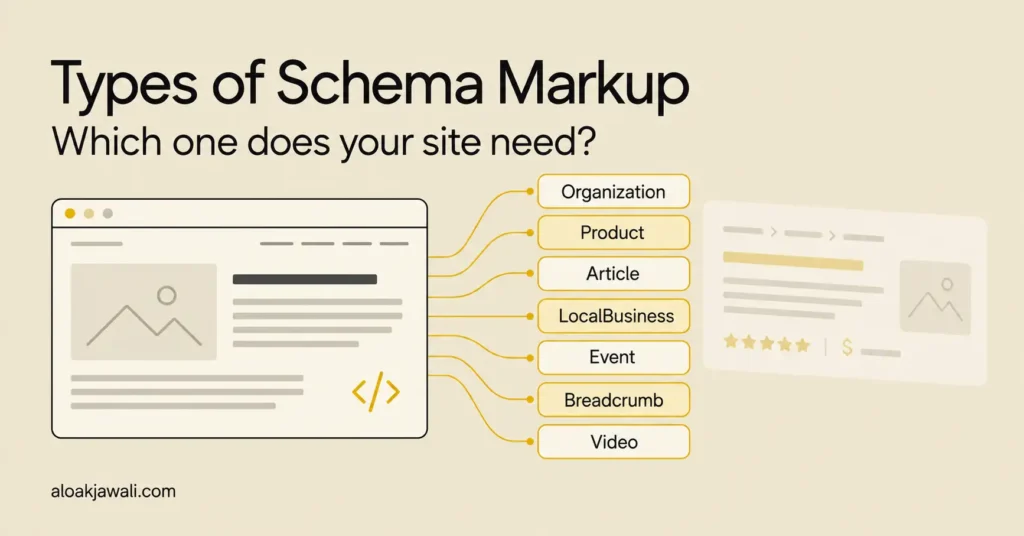
This guide explains who should use ProfilePage schema, how it connects with Person and Organization schema, the different types of schema markup, and how to implement it on WordPress, Blogger, Shopify, Wix, Squarespace, Webflow, HubSpot, Sitecore and custom websites.
What Is ProfilePage Schema?
ProfilePage schema is structured data that identifies a webpage as a profile. It describes the page, while a connected entity describes the person or organization featured on it.
The relationship has two parts:
- ProfilePage: The webpage containing the profile.
- mainEntity: The person or organization the page primarily describes.
For example, an employee biography is a webpage. The employee is a person. Your structured data can represent both without treating them as the same thing.
Schema.org defines ProfilePage as a type of WebPage. The mainEntity property identifies the primary entity described by a page or other creative work. Schema.org ProfilePage
Why Does ProfilePage Schema Matter?
Google uses this markup to understand creators and their contributions, including content associated with online communities and Discussions and Forums results. Its eligibility rule centers on a page primarily describing one person or organization affiliated with the website. Google ProfilePage documentation
For website owners, the practical benefit is a clearer relationship between a profile page, its subject, and related content.
A well-maintained profile also helps visitors. Someone reading an article can follow the byline to learn about the writer, explore their work, and understand their relationship to the publication.
Does ProfilePage Schema Improve Google Rankings?
Adding ProfilePage schema does not guarantee higher rankings. Google documents its role in understanding creators and supporting search features, but does not promise a ranking increase for implementing it.
It helps to distinguish three outcomes:
| Outcome | What it means |
| Understanding | The markup explicitly describes the profile and its main entity. |
| Search appearance | An eligible page may be used in supported search features. |
| Ranking | Where a page appears depends on Google’s broader ranking systems and the query. |
Google’s ranking systems consider many factors and signals when selecting relevant results. A schema block alone does not establish that a profile is more useful than competing pages.
Implement ProfilePage schema alongside accurate biographies, useful content, and working links between articles and their authors.
If performance changes after deployment, investigate the change rather than automatically attributing it to schema. Content updates, new links, technical changes, and changes in search demand may also affect results.
Who Should Use ProfilePage Schema?
Google lists author pages, employee biographies, blog “About Me” pages, and forum or social-media profiles as valid examples. Store homepages and unaffiliated organization-review pages are invalid examples.
The following table applies that rule to common website scenarios.
| Page example | Appropriate use? | Recommended approach |
| An author’s biography on a publication | Yes | Make the author the main entity. |
| An employee’s individual biography | Yes | Describe that employee and their relationship to the company. |
| A blogger’s “About Me” page | Yes | Keep the page focused on the blogger. |
| A community member’s profile | Yes | Describe the account holder. |
| An organization’s account within a community | Potentially | Confirm that it represents an affiliated organization account. |
| A dedicated founder biography | Potentially | Check that the page primarily profiles the founder. |
| A team directory listing many people | Generally unsuitable as one profile | Create individual biographies where useful. |
| A typical store homepage | No | Use markup appropriate to its commercial purpose. |
| A third-party company review | No under this use case | Being reviewed does not establish affiliation. |
| A blog post containing an author box | Usually an Article page | Connect the article’s author to their profile. |
Example: A Blogger “About Me” Page
A gardening blogger might publish:
https://example.blogspot.com/p/about-me.html
If the page introduces the writer, explains their background, and links to their work, it is a plausible profile page.
A homepage displaying recent posts has a different purpose. The blogger’s name appearing in a sidebar does not automatically make the homepage a dedicated biography.
Example: A Shopify Founder Profile
A retailer might create:
https://example.com/pages/meet-the-founder
If the page primarily tells the founder’s story, a Person entity can describe that individual.
If the page mainly promotes products and purchasing options, reconsider whether a profile accurately describes its primary purpose.
Example: A Webflow Employee Profile
A company could use a CMS Collection to publish:
https://example.com/team/jane-smith
The page can display the employee’s biography, role, relevant experience, and selected work. Its structured data should use Jane’s information rather than a generic description shared by every team member.
What Should a Profile Page Include?
A useful profile identifies the person or organization, explains their relationship to the website, and provides relevant background.
Create the visible page first, then write structured data that accurately represents it. Google requires structured data to reflect the page’s content. Google structured data guidelines
The following is an editorial template, not a list of mandatory schema properties.
| Page element | What to include |
| Name and role | The person’s public name and relationship to the website |
| Short introduction | What they do and the subjects they cover |
| Relevant background | Experience, education, or qualifications that help visitors evaluate their work |
| Profile image | An appropriate photo |
| Work samples | Relevant articles, projects, publications, or contributions |
| Identity links | Appropriate professional profiles or an official personal website |
| Contact option | A public business contact method, when useful |
A fictional writer’s profile could follow this structure:
Jane Smith
Gardening Writer at Example Garden
About Jane
Jane writes about container gardening, composting, and caring for small outdoor spaces.
Background
[Accurate experience and relevant qualifications.]
Recent Articles
[Links to Jane’s published articles.]
Professional Profiles
[Relevant profiles identifying Jane.]
Contact
[An appropriate public contact method, if needed.]
Include details that help readers understand the person’s work. Omit sections that do not apply, and never invent credentials to make a biography appear more authoritative.
For an organization profile, adapt the content to explain its purpose, activities, relationship to the website, and relevant contributions.
ProfilePage vs. Person vs. Organization Schema
These types describe different things and can work together.
| Schema type | What it represents | Example |
| ProfilePage | A profile webpage | A consultant’s biography page |
| Person | An individual | The consultant |
| Organization | An organization | A company or association |
A profile of an individual typically uses:
ProfilePage
└── mainEntity: Person
An organization profile uses:
ProfilePage
└── mainEntity: Organization
Person schema can contain details such as a name, job title, affiliation, and identity links. These describe the person rather than the webpage. Schema.org Person
Before adding markup, inspect what your theme or SEO plugin already generates. If your website already describes the person using a consistent identifier, connect the profile page to that entity instead of creating conflicting descriptions.
Required and Recommended ProfilePage Properties
Google requires mainEntity, containing a Person or Organization. That entity needs name, with alternateName accepted when name is unavailable. Profile dates and additional entity details are recommended where applicable. Google property requirements
| Property | Location | Google status | Purpose |
| mainEntity | ProfilePage | Required | Identifies the entity being profiled |
| name | Person or Organization | Required, with an accepted alternative | Supplies the entity’s name |
| alternateName | Person or Organization | Recommended; can fulfill the naming requirement | Supplies another public name or handle |
| description | Person or Organization | Recommended | Summarizes the entity |
| image | Person or Organization | Recommended | Identifies a representative image |
| sameAs | Person or Organization | Recommended | Links to other pages identifying the same entity |
| identifier | Person or Organization | Recommended | Supplies an applicable identifier |
| dateCreated | ProfilePage | Recommended | Records profile creation |
| dateModified | ProfilePage | Recommended | Records profile changes |
| interactionStatistic | Person or Organization | Recommended when applicable | Describes interactions involving the entity |
| agentInteractionStatistic | Person or Organization | Recommended when applicable | Describes actions performed by the entity |
A useful implementation does not need every optional field. Start with accurate information your team can maintain.
Use sameAs for Identity Links
The sameAs property links to another page that unambiguously identifies the same entity. It is not a place to collect loosely related websites or every page mentioning someone.
Examples may include the person’s own professional profile or another authoritative biography.
Keep Interaction Statistics Relevant
Interaction counters represent measurable actions and counts. They require a reliable source that can stay synchronized with the profile.
A basic consultant or employee biography usually does not need social-style counters. Extra fields create maintenance work when they do not serve a clear purpose.
ProfilePage JSON-LD Example
JSON-LD expresses structured data inside a script element.
The following example describes a fictional writer and her profile page. All names, URLs, images, and profile details are illustrative.
<script type="application/ld+json">
{
  "@context": "https://schema.org",
  "@type": "ProfilePage",
  "@id": "https://example.com/authors/jane-smith/#profilepage",
  "url": "https://example.com/authors/jane-smith/",
  "mainEntity": {
    "@type": "Person",
    "@id": "https://example.com/authors/jane-smith/#person",
    "name": "Jane Smith",
    "url": "https://example.com/authors/jane-smith/",
    "description": "Writer covering home gardening and soil care.",
    "image": "https://example.com/images/jane-smith.jpg"
  }
}
</script>
The two @id values distinguish the page from the person. The #profilepage and #person suffixes are naming conventions used in this example; those exact suffixes are not mandatory.
Can You Use This JSON-LD Example as a Template?
Yes. Adapt it for an eligible profile page by replacing the fictional details with accurate information.
| Template field | What to change |
| ProfilePage @id | Use a consistent identifier for the profile webpage. |
| ProfilePage url | Enter the actual canonical profile URL. |
| mainEntity.@type | Choose Person or Organization. |
| mainEntity.@id | Use a consistent identifier for the entity. |
| mainEntity.name | Enter the actual public name. |
| mainEntity.url | Enter the relevant profile URL. |
| mainEntity.description | Use an accurate description represented on the page. |
| mainEntity.image | Enter a real representative image URL, or omit the optional property if unavailable. |
Add optional properties only when they apply. Do not invent dates, credentials, or statistics to complete a template.
When placing the example in a custom HTML field, keep the script wrapper. If your CMS provides a dedicated schema field, follow its instructions about whether to include script tags.
For an affiliated organization profile, change the main entity’s type and information together. Do not leave a person’s biography inside an Organization object.
How to Connect Articles to an Author Profile
An article describes published content. Its author information can connect that content to the author’s biography.
Google recommends identifying article authors with their type, name, and a relevant URL. When that URL is an internal profile, Google recommends profile-page structured data there. Google Article author guidance
The following is an author property fragment intended to go inside an existing Article or BlogPosting object:
"author": {
"@type": "Person",
"@id": "https://example.com/authors/jane-smith/#person",
"name": "Jane Smith",
"url": "https://example.com/authors/jane-smith/"
}
Including the type, name, and URL makes the author information explicit on the article page. Keep the visible byline linked to the same biography.
Can You Add ProfilePage Schema to Your CMS?
Most platforms provide an implementation route. Some have dedicated schema fields; others support templates or custom HTML.
A custom-code feature does not necessarily include an automatic ProfilePage generator.
The following options were reviewed against official documentation on September 20, 2026. Plan availability, permissions, and editor labels may change. These are documented capabilities, not claims of hands-on testing across every platform.
| Platform | Where to add it | Main consideration | Example page |
| Blogger / Blogspot | Theme → Edit HTML | Restrict the markup to the relevant page. | /p/about-me.html |
| WordPress, self-hosted | Suitable plugin or output through wp_head | Inspect existing markup and avoid conflicts. | /author/jane-smith/ |
| WordPress.com | Supported plugin or custom-code method | Code support depends on the hosting setup. | /about/ |
| Shopify | Liquid template, section, or snippet | Requires theme-code access and appropriate page targeting. | /pages/meet-the-founder |
| Wix | Advanced SEO → Structured Data Markup | Dedicated JSON-LD field with documented limits. | /about-jane |
| Squarespace | Page Settings → Advanced → Page Header Code Injection | Requires a plan supporting code injection. | /founder |
| Webflow | Page Settings → Schema markup | Requires an eligible plan and role; bind CMS fields for individual profiles. | /team/jane-smith |
| HubSpot CMS / Content Hub | Page Settings → Advanced → Head HTML | Controls vary by subscription, content type, and permissions. | /team/jane-smith |
| Sitecore | Supported HTML includes or implementation-specific components | The route depends on the product, version, and architecture. | /people/jane-smith |
| Custom JavaScript website | Page component or server-generated HTML | Keep the markup accurate for the current route. | /authors/jane-smith |
Blogger
Blogger provides an HTML theme editor. Because a theme can affect many URLs, use page-specific conditions when adding an individual profile block.
This applies to pages on your blog, not the separate Blogger account-profile interface. Blogger theme documentation
WordPress
Self-hosted WordPress supports plugins and developer code. The wp_head hook can output scripts or data in the document head.
WordPress.com has separate code restrictions, so self-hosted instructions should not be assumed to work on every hosted plan. WordPress developer documentation
Shopify
Shopify supports theme-code edits using Liquid and related technologies. Place profile markup in an appropriate template or snippet, and consider how custom changes will be maintained during theme updates. Shopify theme-code documentation
Wix
Wix provides a Structured Data Markup field in Advanced SEO settings. It accepts custom JSON-LD and documents a limit of fewer than 7,000 characters per markup, with up to five markups per page. Wix structured-data documentation
Squarespace
Squarespace supports page-level header code injection on Core, Plus, Advanced, and certain legacy plans.
Use the individual profile page’s settings so the same profile block does not automatically appear throughout the website. Squarespace code-injection documentation
Webflow
Webflow provides a Schema markup field in Page settings, including Collection pages.
For an author or team Collection, bind each profile’s fields to generate unique information. Check Webflow’s supported field types before designing the implementation. Webflow schema documentation
HubSpot CMS / Content Hub
HubSpot supports snippets in a page’s Head HTML field. Available controls depend on the content type, subscription, and permissions.
For an individual biography, use page-level output rather than a domain-wide profile block. HubSpot code-snippet documentation
Sitecore
Sitecore implementations vary. For example, SXA 10.4 supports HTML Includes that can render scripts in the head or body.
A developer should confirm that the chosen implementation applies to the correct pages and supplies the appropriate profile data. Sitecore SXA documentation
Custom JavaScript Websites
Generate JSON-LD from the same content used to display the biography. Next.js, for example, documents rendering structured data in a page or layout component and safely serializing dynamic values. Next.js JSON-LD documentation
For large directories, generating markup from CMS records is easier to maintain than manually editing a separate block for every profile.
Can You Add ProfilePage Schema Through Google Tag Manager?
Yes. Google documents using a Google Tag Manager Custom HTML tag to insert supported JSON-LD. The structured data must be available when Google renders the page.
For a single profile:
- Install a supported GTM web container.
- Create a new tag and select Custom HTML.
- Paste the complete JSON-LD with its script wrapper.
- Restrict the trigger to the profile URL.
- Preview and verify the tag.
- Publish the container.
- Test the live URL.
For the fictional author example, target the intended hostname and this path:
/authors/jane-smith/
Choose trigger timing that makes the necessary data available. For dynamic implementations, Google recommends collecting information through variables instead of maintaining a separate copy that can become inconsistent.
GTM still needs to be installable and able to run. It does not automatically remove CMS plan restrictions. Check that the implementation does not depend on visitor interactions that may never happen during rendering.
A Shopify GTM Limitation
Shopify’s GTM custom-pixel implementation runs in a sandbox. That tracking environment should not be assumed to insert structured data into the main storefront document.
For Shopify profiles, theme-rendered JSON-LD is the implementation I recommend. Shopify GTM custom-pixel documentation
Across platforms, my preferred order is a native schema field, then template-based output, followed by GTM when it fits the technical setup.
How to Test ProfilePage Schema
Testing should answer three questions:
- Is the code valid?
- Does the published page contain the intended markup?
- Does the page meet the relevant content requirements?
A positive answer to one does not automatically answer the others.
1. Validate the Markup
Use the Schema Markup Validator to inspect the vocabulary and structure.
Check malformed JSON, incorrect nesting, misspelled properties, and unexpected values. Review the actual profile details as carefully as the syntax.
2. Test the Published URL
Run the live URL through Google Rich Results Test.
Google recommends URL testing for JavaScript-generated markup because code-input testing has limitations. Verify that the detected information belongs to the profile being tested.
3. Inspect Crawling and Indexing
Use Search Console’s URL Inspection tool to investigate access and indexing.
A login requirement, indexing directive, or inaccessible resource can prevent the intended implementation from being useful. A syntax validator cannot resolve those issues. Google technical guidelines
4. Test Representative Profiles
For shared templates, test more than one page.
Include a profile with a long biography, one without optional fields, and one containing punctuation in its name or description. These cases can expose data-handling problems.
For a JavaScript application, test navigation between profiles and confirm that outdated markup does not remain after the route changes.
Common ProfilePage Schema Mistakes
Adding One Profile Block Across the Entire Website
A global header field can place the same profile markup on articles, product pages, and contact pages.
Restrict individual profile markup to the relevant biography. For directories, generate it from the current profile record.
Letting the Markup Become Outdated
A biography may change while a manually maintained JSON-LD block remains untouched.
Use the same content source for the visible page and markup whenever possible. Structured data should continue to represent the page accurately.
Treating a Team Directory as One Person’s Profile
A team directory introduces several people. It does not necessarily provide a detailed biography of any one person.
Create individual pages when they help visitors, then link to them from the directory.
Using Placeholder Images or Imported Counters
Google says to omit default profile images and placeholders. Profile interaction statistics should describe the hosting platform rather than follower counts imported from elsewhere.
Creating Conflicting Markup Through Multiple Tools
A theme, SEO plugin, custom code, and GTM may all generate structured data.
Multiple objects can be appropriate. Problems arise when they contain contradictory details, inconsistent identifiers, or repeated implementations nobody maintains.
Filling Every Optional Field
A basic author biography does not need every property used by a social platform.
Include information because it accurately describes the entity and serves a useful purpose. Never invent values to complete a template.
Activating Example Code on a Tutorial Article
An article about ProfilePage schema is not itself a profile simply because it includes JSON-LD examples.
Display examples as escaped code. Use appropriate Article or BlogPosting markup for editorial content and connect its author to the relevant biography.
Frequently Asked Questions
Does ProfilePage Schema Guarantee a Google Knowledge Panel?
No. Google generates Knowledge Panels automatically using information from multiple sources. Its systems determine when a panel is appropriate for a search. Google explanation of Knowledge Panels
Adding JSON-LD is not an application for a Knowledge Panel. Passing the Rich Results Test does not confirm that one will appear.
Claiming an existing panel is a separate verification process. Google verification guidance
Do You Need a Dedicated ProfilePage Plugin?
No. A plugin is one option. A CMS schema field, page template, custom HTML feature, or suitable GTM installation can also insert JSON-LD.
Choose the method your team can maintain accurately.
Can You Put ProfilePage Schema on a Personal Homepage?
Evaluate the page’s primary purpose. A homepage functioning as a personal biography differs from one primarily selling services or listing recent content.
The homepage URL alone does not determine whether the content functions as a profile.
Should Every Employee Have a Profile Page?
Create employee pages when they help visitors understand people relevant to the business.
Schema should describe useful pages you have a reason to publish. It does not justify creating large numbers of empty or nearly identical biographies.
Does JSON-LD Need to Be Visible to Visitors?
The script is machine-readable metadata and does not need to appear as ordinary text. The information it represents should accurately reflect the visible page.
Code examples in tutorials should be displayed for readers rather than activated as the tutorial’s own profile markup.
What Should You Do After Publishing?
Record the deployment date and verify representative URLs. Recheck the implementation after template, plugin, or content-model changes.
Schedule an initial review four weeks after launch. Examine indexing, validation issues, and relevant Search Console queries. Use the findings to decide whether to fix technical problems, clarify the content, or create a more detailed platform tutorial.
Start with one useful profile, verify the live implementation, and extend the approach once the content and markup stay consistent.