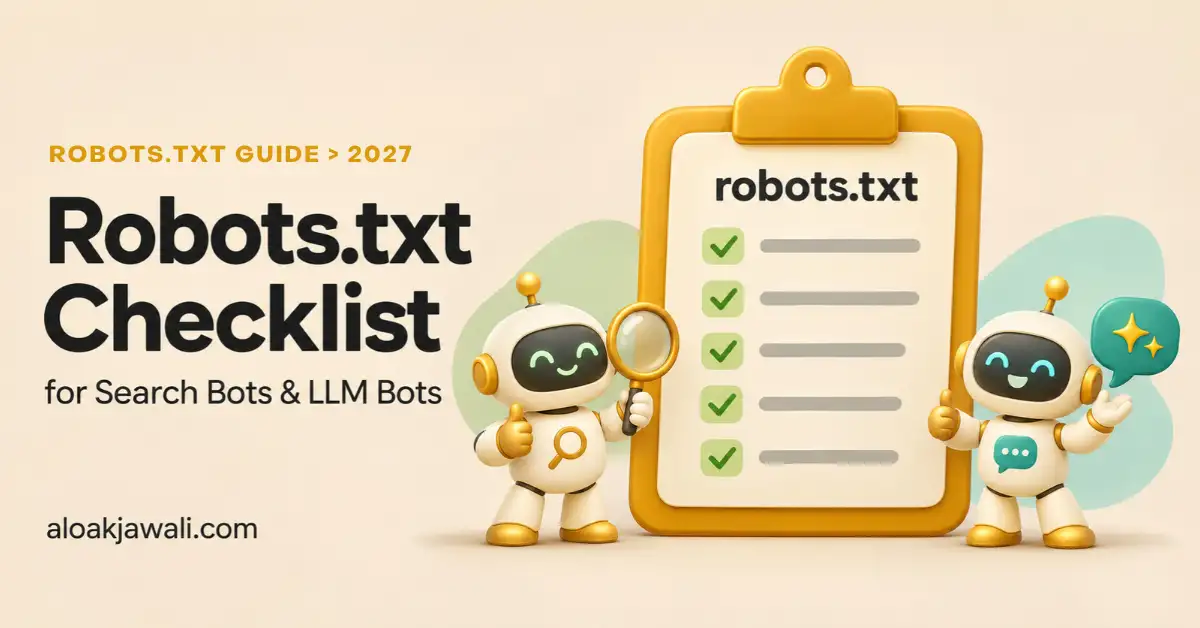
A robots.txt checklist used to have a dozen items, all aimed at Googlebot and Bingbot. In 2026, your file also speaks to GPTBot, ClaudeBot, PerplexityBot, and a growing list of AI agents. Each one reads it a little differently, and some don’t read it at all. Use this checklist before you publish any change, then confirm the result in our free robots.txt validator.
This checklist pulls together our robots.txt series:
- The basics: our guide to how a robots.txt file works with search engine crawlers.
- How the bots differ: our comparison of search engine bots vs. LLM bots.
- A ready-made file: our guide on how to configure robots.txt for modern crawlers and AI bots.
Key Takeaways
- Start with the file itself. A robots.txt that sits in the wrong place, returns an error, or exceeds 500 KiB undermines every rule inside it.
- For search engine bots, the biggest risks are a leftover
Disallow: /, blocked CSS and JavaScript, and using robots.txt to deindex pages.- For LLM bots, decide on training, AI search, and user-initiated fetching as three separate policies.
- A bot named in its own group ignores your
User-agent: *rules, so repeat shared rules inside every named group.- Robots.txt is only one layer. Check your CDN, your platform’s settings, and Search Console’s AI control too.
Search Engine Bots vs. LLM Bots: What the Checklist Covers
| Area | Search engine bots | LLM bots |
|---|---|---|
| Examples | Googlebot, Bingbot, DuckDuckBot, Applebot | GPTBot, OAI-SearchBot, ChatGPT-User, ClaudeBot, Claude-SearchBot, PerplexityBot, CCBot |
| Main risk | Blocking pages you want ranked | Blocking AI search by mistake, or allowing training you didn’t intend |
| Follows robots.txt | Yes | Crawlers yes; some user-initiated fetchers may not |
| Other controls | Meta robots, X-Robots-Tag, Search Console | Control tokens (Google-Extended, Applebot-Extended), Search Console AI control, CDN rules |
The checklist runs in four parts: the file, search engine bots, LLM bots, and everything outside the file. A copy-and-paste version is at the end.
Part 1: File Basics (All Bots)
These checks apply to every crawler. If any of them fails, the rest of your rules may not matter.
1. The file sits at the root of the host. Crawlers only look for https://yourdomain.com/robots.txt. A file inside a subfolder is ignored.
2. Every subdomain and protocol has its own file. A robots.txt file only covers the host, protocol, and port it’s served from. blog.yourdomain.com and shop.yourdomain.com each need their own.
3. The file returns HTTP 200 as plain text. A 404 tells crawlers there are no restrictions. A server error can make Google pause crawling your site. Open the URL in a browser and check the response code in your browser’s developer tools.
4. The file is under 500 KiB. Google ignores any rules past that limit. Most files are a few kilobytes, so a large file usually means generated rules have gotten out of hand.
5. The filename is lowercase and the paths match your URLs’ case. Disallow: /Private/ doesn’t block /private/.
6. The Sitemap line uses a full, absolute URL. For example, Sitemap: https://www.yourdomain.com/sitemap_index.xml. You can list more than one sitemap.
7. Comments explain every non-obvious rule. Lines starting with # are ignored by crawlers but save the next person from deleting a rule they don’t understand.
Part 2: Traditional Search Engine Bots
For the full background on how these crawlers read the file, see our guide to robots.txt and search engine crawlers.
8. There’s no leftover Disallow: /. Staging sites often ship with a sitewide block that survives launch. Check both the User-agent: * group and any Googlebot or Bingbot group.
9. CSS, JavaScript, and image files are crawlable. Google renders pages much like a browser does. Blocking /wp-includes/, /assets/, or theme folders can stop it from understanding your layout and content.
10. Robots.txt isn’t being used to deindex pages. A blocked page can still be indexed if other sites link to it. To remove a page, allow crawling and add a noindex meta tag or X-Robots-Tag header. Google can’t see a noindex on a page it isn’t allowed to crawl.
11. Named search bot groups repeat your shared rules. If you write a User-agent: Googlebot group, Googlebot follows only that group and ignores User-agent: *. Copy every rule Googlebot still needs into its own group.
12. Crawl-delay isn’t your plan for Google. Googlebot ignores Crawl-delay. Bing honors it. For Google, crawl rate responds to how quickly and reliably your server answers.
13. Bingbot is treated as a high-value bot. Bing’s index also feeds Yahoo, DuckDuckGo results, and Microsoft Copilot answers. Blocking Bingbot costs more than its search share suggests.
14. Applebot behaves the way you expect. If your file doesn’t mention Applebot but does mention Googlebot, Applebot follows the Googlebot rules. Name Applebot directly if you want different behavior.
15. Wildcard rules are tested, not assumed. * matches any sequence of characters and $ marks the end of a URL. A rule like Disallow: /*? blocks every URL with a query string, which can include paginated or filtered pages you want crawled.
Part 3: LLM Bots
Before working through these checks, decide what you want from AI companies. Our comparison of search engine bots vs. LLM bots explains what each bot does and what it sends back.
16. You’ve written down a policy for each of the three AI jobs. Training, AI search indexing, and user-initiated fetching are separate decisions with separate tokens. Most business sites allow search and fetching and decide case by case on training.
17. AI search crawlers are allowed if you want citations. OAI-SearchBot (ChatGPT search), Claude-SearchBot (Claude), and PerplexityBot (Perplexity) build the indexes those assistants cite. OpenAI says sites that block OAI-SearchBot won’t appear in ChatGPT search answers.
18. Training crawlers match your policy. The main tokens are GPTBot (OpenAI), ClaudeBot (Anthropic), and CCBot (Common Crawl’s open dataset, widely used for training). Blocking them doesn’t remove you from AI search, because search uses different bots.
19. Control tokens are set on purpose. Google-Extended and Applebot-Extended never visit your site; they tell Google and Apple how they may use content their regular crawlers fetched.
- Google-Extended: blocking it opts you out of Gemini training and Gemini grounding, with no way to separate the two. It doesn’t affect Google Search.
- Applebot-Extended: blocking it opts you out of Apple’s model training. Apple says it doesn’t affect Apple Search ranking.
20. AI Overviews are handled outside robots.txt. Google-Extended doesn’t control AI Overviews or AI Mode. To leave them, use the Search generative AI control in Search Console. It became available to all sites worldwide on August 31, 2026, and works at the property level.
21. You aren’t relying on robots.txt to stop user-initiated fetchers. OpenAI says robots.txt rules may not apply to ChatGPT-User, and Perplexity says Perplexity-User generally ignores them. Anthropic says Claude-User does follow robots.txt. Content that must stay private needs authentication.
22. Named AI bot groups repeat your shared rules. This is the most common AI mistake. If User-agent: * blocks /wp-admin/ and /cart/, a separate User-agent: GPTBot group must block them too.
23. Retired tokens are cleaned up. anthropic-ai and Claude-Web appear in many copied block lists but no longer control anything. Anthropic’s current tokens are ClaudeBot, Claude-SearchBot, and Claude-User.
24. You’re watching the 2027 changes.
- Shared training opt-out: Google, Microsoft, and OpenAI have announced plans to honor a shared AI-training line,
__usage_ai-training, but none supports it yet. Google expects support in early 2027. - Microsoft’s new preferences: Microsoft will start honoring new training and grounding preferences on February 1, 2027.
Keep your per-bot rules in place until support arrives.
Our guide on configuring robots.txt for modern crawlers and AI bots has a complete file that covers items 16 through 23.
Part 4: Beyond the File
25. Your CDN or firewall matches your robots.txt. Allowing a bot in robots.txt doesn’t let it through a firewall. Since September 15, 2026, Cloudflare blocks AI training and agent crawlers by default on ad-supported pages for new domains and for free-plan sites that haven’t changed their settings. Search crawlers stay allowed. Check your bot settings after any change to robots.txt.
26. Platform rules are edited the platform’s way.
- Shopify: adding a
robots.txt.liquidtemplate replaces Shopify’s generated file. Build on therobots.default_groupsLiquid object so the default rules survive. - WordPress with Rank Math: edit the file under Rank Math SEO → General Settings → Edit robots.txt. Make sure no physical
robots.txtfile on the server overrides it.
27. Bot traffic is verified by IP, not just user agent. Anyone can claim to be GPTBot or Googlebot. OpenAI, Anthropic, and Perplexity publish IP ranges for their bots, and Google supports reverse DNS verification.
28. Every change is tested before it goes live. Paste your draft into the robots.txt validator. Then test, for each bot you named:
- your home page,
- one top post,
- one product or service page,
- and one private path such as
/wp-admin/.
After publishing, check the robots.txt report in Google Search Console to confirm Google fetched the new version.
29. You allow time for changes to take effect. Google generally caches robots.txt for up to 24 hours. OpenAI says ChatGPT search takes about 24 hours to reflect an update.
30. The file has a review date. Recheck it every quarter and after any redesign, migration, platform switch, or CDN change. AI companies rename bots and change their documentation often.
Sample File That Passes This Checklist
This starting point allows search engines and AI search, blocks two training crawlers, and repeats the shared rules in every named group.
# Default rules (Googlebot, Bingbot, and any bot without its own group)
User-agent: *
Allow: /
Disallow: /wp-admin/
Allow: /wp-admin/admin-ajax.php
Disallow: /cart/

# AI search and user-requested retrieval
User-agent: OAI-SearchBot
User-agent: ChatGPT-User
User-agent: Claude-SearchBot
User-agent: Claude-User
User-agent: PerplexityBot
User-agent: Perplexity-User
Allow: /
Disallow: /wp-admin/
Allow: /wp-admin/admin-ajax.php
Disallow: /cart/

# AI training opt-outs (a business decision)
User-agent: GPTBot
User-agent: ClaudeBot
User-agent: CCBot
Disallow: /

Sitemap: https://www.example.com/sitemap_index.xml
Replace the paths and sitemap URL with your own, and keep any rules your platform adds by default.
Copy-and-Paste Robots.txt Checklist
File basics
- File is at the root of each host, subdomain, and protocol
- Returns HTTP 200 as plain text
- Under 500 KiB
- Path case matches real URLs
- Sitemap line uses an absolute URL
- Comments explain non-obvious rules
Search engine bots
- No leftover
Disallow: / - CSS, JavaScript, and images are crawlable
- Deindexing uses noindex, not robots.txt
- Named search bot groups repeat shared rules
- No reliance on Crawl-delay for Google
- Bingbot allowed (it feeds Copilot, Yahoo, and DuckDuckGo results)
- Applebot behavior checked
- Wildcard rules tested
LLM bots
- Written policy for training, AI search, and user fetching
- OAI-SearchBot, Claude-SearchBot, and PerplexityBot allowed if you want citations
- GPTBot, ClaudeBot, and CCBot match your training policy
- Google-Extended and Applebot-Extended set on purpose
- AI Overviews handled in Search Console, if needed
- No reliance on robots.txt for ChatGPT-User or Perplexity-User
- Named AI bot groups repeat shared rules
- Retired tokens removed
- 2027 training opt-out changes on your radar
Beyond the file
- CDN and firewall settings match robots.txt
- Platform-specific editing method used
- Bot traffic verified by IP
- Changes tested in the validator before publishing
- Search Console robots.txt report checked after publishing
- 24 hours allowed for changes to apply
- Next quarterly review date set
Frequently Asked Questions
What is the most important item on a robots.txt checklist?
Making sure nothing blocks Googlebot from your important pages, especially a leftover Disallow: /. One wrong line can remove a site from search. Test your home page and top pages as Googlebot after every change.
Do I need separate rules for AI bots if I allow everything?
No. Without named groups, AI bots follow your User-agent: * rules. Add named groups only when you want a bot to behave differently, such as blocking training crawlers. Even then, repeat any shared rules inside each named group.
Can robots.txt keep my site out of Google’s AI Overviews?
No. AI Overviews use Google’s regular search index, and Google-Extended doesn’t control them. Use the Search generative AI control in Search Console instead. It removes your site from AI Overviews, AI Mode, and AI Overviews in Discover without affecting your regular search listings.
Does every subdomain need its own robots.txt file?
Yes. A robots.txt file only applies to the exact host, protocol, and port it’s served from. Your main domain’s file has no effect on blog. or shop. subdomains.
How often should I review my robots.txt file?
At least quarterly, and after any redesign, migration, platform change, or CDN update. AI companies add and rename bots regularly, so a file that was correct six months ago may be missing important tokens today.
A good robots.txt file starts with the basics, protects your search visibility, and treats LLM bots as three separate policy decisions. Work through this checklist and test every change in the robots.txt validator. Then confirm your CDN and Search Console settings tell the same story as the file.