If you run a website, someone has probably told you that you need an llms.txt file to show up in ChatGPT, Gemini, or Google’s AI answers. You hear that claim a lot. It’s mostly wrong.
llms.txt is real, it’s useful in some situations, and it got a lot more attention in 2026. But it isn’t a ranking factor, and it won’t make any AI platform cite you. This guide covers what the file actually does, who should bother with it, how to write one, and how to validate your llms.txt files so they work when an AI tool does come looking.
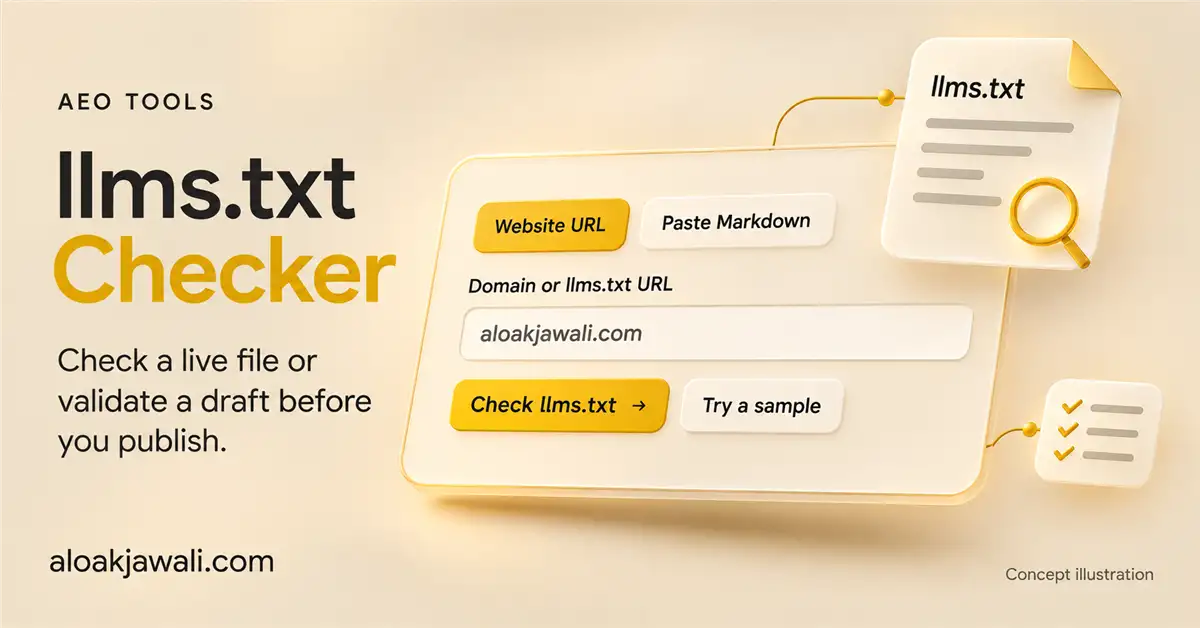
Aloak built Free llms.txt checker at aloakjawali.com for that last step. You’ll see where it fits later on. First, the basics.
What is llms.txt?
An llms.txt file is a plain Markdown file placed at the root of a website (for example, https://example.com/llms.txt). It gives language models and AI agents a short description of the site, followed by a hand-picked list of links to its most useful pages.
Think of it as a cover letter for your website, written for software instead of people. A human visitor can skim a menu, close a pop-up, and figure out which page matters. An AI agent with a limited context window has a harder time doing that. llms.txt gives it a short, organized starting point.
Jeremy Howard of Answer.AI published the original proposal in September 2024. A revised version (v2) came out in August 2026. You can read the full proposal at llmstxt.org.
Why was llms.txt introduced?
Web pages are built for browsers and people. They come wrapped in navigation menus, cookie banners, scripts, ads, sidebars, and footers. When an AI system fetches a page, a large share of what it pulls in is clutter.
Large sites make the problem worse. A site might have thousands of URLs, a dozen page types, and outdated content sitting next to current content. An agent has to guess which pages are authoritative and which are noise. Converting HTML into clean text also strips out structure, so the agent can lose track of how pages relate to each other.
The proposal’s answer is simple: let the site owner state, in a format models read well, who they are and where the important information lives.
How does llms.txt work?
The file follows a light Markdown structure:
- An H1 headingwith the name of the site or project. This is the only required element.
- A blockquotewith a one- or two-sentence summary.
- Optional paragraphs or bullet listswith extra context, such as key facts or instructions on how to read the site.
- H2 sectionsthat group links. Each link uses the format [Page name](URL): short description.
- An optional section(often titled “Optional”) for secondary links an agent can skip when it’s short on space.
The v2 revision spells out how agents are expected to use the file: they read or search the llms.txt, find what they need, and then follow the relevant links. Those links should point to content that’s easy for a model to read, often a Markdown version of the page.
v2 also adds a way for individual pages to announce their own Markdown version and the llms.txt file that covers them. Site owners can do this with HTML <link> elements or an HTTP Link header, which means it can be set up at the server or CDN level without touching page templates.
Is llms.txt an official web standard?
No. It’s an open community proposal. No standards body has adopted it, and no browser, search engine, or AI company is required to read it.
That said, it isn’t a fringe idea anymore. According to the proposal’s author, thousands of sites now publish an llms.txt file, documentation platforms such as Mintlify generate one automatically, and coding agents use these files regularly. Anthropic, OpenAI, and Google’s Gemini team all publish llms.txt files for their developer documentation.
Google has taken two positions at once:
- Google Search doesn’t use it.Google’s AI optimization guide, published in May 2026, says you don’t need new machine-readable files, AI text files, or special markup to appear in Google’s AI features. A June 2026 update added that llms.txt neither helps nor hurts Google rankings, and that it’s fine to keep one for other services that use it.
- Chrome’s Lighthouse checks for it.Also in May 2026, Lighthouse added an experimental Agentic Browsing category that includes an txt audit. The audit is narrow: it flags a site when the server returns an error while fetching the file.
The practical summary: llms.txt has real use in developer tools and AI coding agents. There’s little public evidence that general AI search and chat products rely on it.
llms.txt vs. robots.txt vs. sitemap.xml
These three files often get lumped together, but they do different jobs.
| File | What it does | Format | Who reads it | Controls access? |
| robots.txt | Tells crawlers which paths they may or may not request | Plain-text directives | Search engine crawlers and most major AI crawlers | Yes (crawlers follow it voluntarily) |
| sitemap.xml | Lists URLs you want search engines to discover and index | XML | Search engines | No |
| llms.txt | Gives AI tools a curated summary and a list of key pages | Markdown | Some AI agents and developer tools | No |
The key point: llms.txt doesn’t allow or block anything. If your robots.txt blocks an AI crawler, a perfect llms.txt won’t change that. If your firewall returns a 403 to bots, the file may never be read at all.
Does llms.txt improve AI search visibility?
Split this into two questions.
Can it help a compatible AI agent find the right page faster? Plausibly, yes. That’s what it’s designed to do, and it’s why coding agents use it on documentation sites.
Does it increase citations, brand mentions, or traffic from AI platforms? No public data shows that. Google has said directly that its Search systems, including AI Overviews and AI Mode, ignore the file.
If someone sells you an llms.txt file as a way to rank in AI answers, ask them for evidence. There isn’t any yet.
Will llms.txt get your site into ChatGPT, Gemini, or Perplexity?
There’s a big gap between making content available and having an AI platform actually use it. For your page to show up in an AI answer, several things have to happen:
- The platform has to decide to fetch information from your site, through its own crawler, a search index, or a user asking it to browse.
- Your robots.txt, firewall, and server have to let that request through.
- The page has to contain a clear answer to the question being asked.
- The model has to choose your page over every other source it found.
llms.txt touches, at most, a small part of step one. Google’s AI features pull from Google’s own search index. None of the major AI search platforms has publicly said it uses llms.txt to decide what to cite. Your content, your technical setup, and your reputation do the real work.
Who should implement llms.txt?
The value depends heavily on the type of site.
| Site type | Expected value | What to include |
| SaaS with API or developer docs | High | Getting-started guides, API reference, SDK pages, changelog |
| Documentation-heavy sites | High | Core guides, tutorials, reference pages, Markdown versions where possible |
| Educational sites | Moderate | Course pages, syllabi, cornerstone explainers |
| Publishers and blogs | Moderate | Cornerstone articles, topic hubs, editorial policy |
| Digital marketing agencies | Moderate | Service pages, case studies, team credentials |
| E-commerce stores | Low to moderate | Category pages, shipping and returns policies, sizing guides (not every product) |
| Local service businesses | Low | Services, service area, hours, contact page |
The strongest case is any site where developers point AI coding tools at your documentation. That’s where usage is confirmed today. For most other sites, llms.txt is a low-cost experiment rather than a priority.
Is llms.txt necessary for small websites?
Not really, but it depends on size.
- One-page site:No real need. The page already is the summary.
- Five-page business site: It takes about 20 minutes to write and does no harm if it stays accurate.
- 100+ page site:Curation starts to mean something here, because you’re pointing agents toward the 15 or 20 pages that matter most.
The real cost isn’t writing the file. It’s keeping it current. An outdated llms.txt that points to deleted pages is worse than having no file at all.
Where should you place an llms.txt file?
The standard location is the root of your domain:
https://example.com/llms.txt
The file should return a 200 status code, load without a login, and avoid long redirect chains.
Subdirectories: The v2 proposal defines how files in subpaths work. A file at /docs/llms.txt covers the pages under /docs/, and when more than one file could apply, the most specific path wins. This is useful for large documentation sections, or for sites that only control a path, such as a GitHub Pages project site.
Subdomains: Treat each subdomain as its own site. If your docs live at docs.example.com, put a separate file at docs.example.com/llms.txt.
What should an llms.txt file contain?
A good file includes:
- Your website or business nameas the H1
- A short descriptionin a blockquote: what you do and who you serve
- Business context:location, service area, hours, founding year, or anything an agent might get wrong
- Your most important pages,grouped under clear H2 headings
- Content categoriesthat reflect how your site is organized
- Descriptive link textthat tells an agent what’s on each page before it clicks
Keep it short. The v2 proposal describes llms.txt as a compact document, not a copy of your entire website.
How to create an llms.txt file from scratch
Here’s a step-by-step process using a made-up dental practice as the example.
Step 1: List your top pages. Pull your 10 to 25 most important URLs. Start with pages that answer the questions customers ask most: services, pricing, policies, contact.
Step 2: Write a one-sentence summary. Say what the business does, where, and for whom. Skip slogans.
Step 3: Add key facts. Include the details an AI tool is most likely to get wrong: address, hours, insurance accepted, service area.
Step 4: Group your links. Create H2 sections such as Services, Patient Information, and About.
Step 5: Describe every link. One line per page, stating what a reader will find there.
Step 6: Save and upload. Save the file as llms.txt in UTF-8 plain text and upload it to your site’s root folder.
Step 7: Test it. Open the URL in a browser, then run it through a checker (more on that below).
Here’s the finished sample llms.txt file:
# Harbor Lane Dental
> Harbor Lane Dental is a family and cosmetic dental practice in Portland, Oregon, serving patients in the Pearl District and Northwest Portland since 2011.

Key facts:
- Address: 1234 NW Harbor Lane, Portland, OR 97209
- Hours: Monday to Friday, 8 a.m. to 6 p.m.; Saturday, 9 a.m. to 1 p.m.
- Accepts most major PPO dental plans
- New patients can book online or call (503) 555-0142

## Services

- [General and Preventive Dentistry](https://harborlanedental.example/services/general): Cleanings, exams, X-rays, and fillings for adults and children

- [Cosmetic Dentistry](https://harborlanedental.example/services/cosmetic): Whitening, veneers, and bonding

- [Dental Implants](https://harborlanedental.example/services/implants): Single-tooth and full-arch implants, with consultation steps and recovery timeline

- [Emergency Dental Care](https://harborlanedental.example/services/emergency): Same-day appointments for tooth pain, broken teeth, and lost fillings

## Patient Information

- [New Patient Guide](https://harborlanedental.example/new-patients): What to bring, forms to complete, and what happens at the first visit

- [Insurance and Payment](https://harborlanedental.example/insurance): Accepted plans, financing options, and cancellation policy

- [Service Area](https://harborlanedental.example/service-area): Neighborhoods we serve and parking details

## About

- [Our Dentists](https://harborlanedental.example/team): Credentials and specialties of each dentist

- [Contact and Directions](https://harborlanedental.example/contact): Phone number, map, and booking link

## Optional

- [Blog](https://harborlanedental.example/blog): Articles on oral health and treatment options
Notice what’s missing: no keyword stuffing, no marketing copy, no list of every blog post. Every line gives an agent a fact or a destination.
llms.txt vs. llms-full.txt
The two files serve different purposes:
- txt is an index. It summarizes your site and links out to the pages that matter.
- llms-full.txt is a single large file containing the full text of your documentation, so an agent can load everything in one request.
llms-full.txt is a companion convention made popular by documentation platforms. It isn’t required, and most business websites don’t need one. It makes sense for documentation that’s small enough to fit in a model’s context window. For large sites it can grow to megabytes and fall out of sync quickly.
Common llms.txt implementation mistakes
These are the problems we see most often:
- Wrong location. The file sits at /assets/llms.txt or /llms.txt.txt instead of the root.
- Broken URLs. Linked pages return 404 errors after a redesign or content cleanup.
- Invalid Markdown structure. No H1, headings out of order, or links written as bare URLs with no description.
- Missing context. The file lists links but never says what the business does or where it operates.
- Irrelevant links. Tag archives, login pages, cart pages, and thin pages crowd out the useful ones.
- Duplicate URLs. The same page appears twice, sometimes with and without a trailing slash or tracking parameters.
- Outdated references. Old pricing, discontinued services, or former staff are still listed.
- Inaccessible file. The file returns a 403, sits behind a login, or gets blocked by a firewall rule that treats bots as threats.
- Wrong content type. The server sends the file as a download or wraps it in an HTML page instead of serving plain text.
How to check whether your llms.txt file is working
You can test most of this by hand. Here’s what to check:
- File accessibility.Open https://yoursite.com/llms.txt in a private browser window. You should see plain text, not a download prompt or an HTML page.
- HTTP response status.Run curl -sI https://yoursite.com/llms.txt and confirm you get a 200 status and a text/plain or text/markdown content type.
- One redirect (for example, from http to https) is fine. Chains of three or more are worth fixing.
- Content rendering.Make sure the text displays cleanly, with no broken characters from a wrong encoding.
- Markdown structure.Confirm the file starts with an H1, includes a summary, and uses H2 sections with properly formatted links.
- Linked URL availability.Every link should return a 200 status. Check for 404s, 500s, and redirects to unrelated pages.
- Server accessibility for bots.Some CDNs and security plugins return a 403 or a challenge page to automated requests while showing the file normally to you. Test with a bot-style user agent, or check your firewall logs.
If you also want Google’s view, run the Lighthouse Agentic Browsing audit in Chrome DevTools. It flags server errors on the llms.txt fetch.
Validate Your llms.txt Files with a Free Online Checker for Any Site
Manual testing works fine for a file with 10 links. Once you’re past 40 or 50 links, with redirects and subdirectory files, it becomes tedious, and small problems slip through.
That’s why we built the Aloak Jawali llms.txt checker: a free online checker for any site. Enter a domain, and it runs the checks above in one pass so you can validate your file for AI tools without opening every link yourself.
You can think of it as an AI crawlability checker tool focused on one file. It tells you whether your llms.txt is reachable, well-formed, and pointing to live pages. It can’t tell you whether a given AI platform will read it, and no tool honestly can.
What an llms.txt checker should analyze
| Validation area | What to check |
| File discovery | Does /llms.txt exist at the root, and are there subdirectory files? |
| HTTP status | Does the file return a 200 response without errors? |
| Redirects | Does the URL redirect, and how many hops does it take? |
| Content type and encoding | Is it served as plain text in UTF-8? |
| Markdown structure | Is there an H1, a summary, and properly formatted link sections? |
| Website context | Does the file clearly describe the business or project? |
| Links | Do all referenced URLs load successfully? |
| Relevance | Are key pages included and junk pages left out? |
| Maintenance | Are any links duplicated, redirected, or outdated? |
How to use the Aloak Jawali llms.txt checker
- Go to the llms.txt checker on aloakjawali.com.
- Enter your domain (for example, com).
- Run the check and review the results for each validation area.
- Fix any flagged issues, upload the updated file, and run the check again.
How often should you audit llms.txt?
Check it at least once a quarter, and also right after:
- A website redesign
- URL structure changes
- New service or product launches
- Major content updates or pruning
- A platform or domain migration
- Changes to your most important landing pages
A good habit: add “update llms.txt” to the same checklist you use for updating your XML sitemap.
How llms.txt fits into SEO, AEO, and GEO
Google’s 2026 guidance makes one point repeatedly: optimizing for AI search is still SEO. AI Overviews and AI Mode draw on the same index as regular results, and there’s no separate AI ranking system to game.
So the order of priority looks like this:
- Crawlable, indexable pages with clean technical SEO
- Useful, original content that answers real questions directly
- Clear entity information: who you are, what you do, where you operate
- Structured data where it earns rich results
- Fast, stable pages that work for people and automated agents
- txt as a small add-on for agent readiness
llms.txt vs. traditional SEO
Traditional SEO focuses on discoverability, relevance, indexing, and rankings in search engines. llms.txt offers a curated reference for AI tools that choose to read it. One is the foundation; the other is an optional extra layer on top.
Can llms.txt replace technical SEO?
No. It can’t do the job of any of these:
- XML sitemaps
- Robots directives
- Canonical tags
- Internal linking
- Structured data
- Page indexing
- Site speed and performance
If your pages aren’t indexed, load slowly, or contradict each other, llms.txt won’t fix that.
How to make your content easier for AI systems to use
These practices help search engines, AI tools, and human readers alike:
- Clear headings that describe what each section covers
- Descriptive page titles that match what the page actually says
- Direct answers near the top of the page, followed by detail
- Accurate business information that matches across your site, Google Business Profile, and directories
- Original insights, such as your own data, test results, or first-hand experience
- Author expertise shown through bylines, bios, and credentials
- Consistent brand information in your name, logo, and descriptions everywhere
- Well-organized internal links so related pages point to each other
Does llms.txt help AI agents understand local businesses?
It can help a little, but it isn’t where local visibility comes from.
When someone asks an AI assistant for “a tow truck near me” or “a dentist open Saturday in Portland,” the answer usually comes from map data, business profiles, reviews, and search indexes. An llms.txt file is unlikely to be part of that process.
What llms.txt can do is put your core facts in one tidy place. Here’s what that might look like for different businesses:
- Cleaning services: Residential vs. commercial services, service area by city or ZIP code, booking page
- Towing companies: 24/7 availability, service radius, vehicle types handled, dispatch phone number
- Dental clinics: Treatments offered, insurance accepted, emergency availability, new patient page
- Restaurants: Menu page, hours, reservation link, dietary options, location
- Travel agencies: Destinations, package types, booking and cancellation policies
- Jewelry stores: Product categories, custom design services, repair services, store locations
The more important work is making sure your website says these things clearly on real pages, and that the same details appear on your Google Business Profile and major directories.
How AI crawlers actually reach your website
Not every AI bot does the same job. Broadly, there are four kinds:
- Training crawlers collect content to train future models. OpenAI’s GPTBot and Anthropic’s ClaudeBot are examples.
- Search and retrieval crawlers build indexes that AI search tools pull answers from. OAI-SearchBot and PerplexityBot fall here.
- User-triggered agents fetch a page because a person asked the assistant to look at it, such as ChatGPT-User.
- Other automated agents, including browser-based agents that click through pages and fill out forms on someone’s behalf.
Whether any of these can reach your content depends on your robots.txt rules, your CDN and firewall settings, and your server’s response. Those settings matter far more for actual access than llms.txt does. Bot names and behavior change, so check each company’s official crawler documentation before you write robots.txt rules.
How to measure whether your site is gaining AI visibility
You won’t get a single score, but you can track trends:
- Monitor AI referral traffic in your analytics (look for referrers such as chatgpt.com, perplexity.ai, and gemini.google.com).
- Check server logs for known AI crawlers and note which pages they request, including whether anything ever requests /llms.txt.
- Track brand mentions in AI answers by asking the same branded and non-branded questions each month and recording the results.
- Track citations and linked references to your pages in AI answers.
- Compare results over time rather than reading too much into one week.
- Watch Google Search Console, since AI Overviews and AI Mode draw from Google Search.
If you add an llms.txt file, note the date. That way, if anything changes, you can see whether the file was involved or whether something else happened at the same time.
Common myths about llms.txt
| Myth | Reality |
| llms.txt guarantees AI citations | No such guarantee exists |
| It improves Google rankings | Google says Search doesn’t use llms.txt, and it neither helps nor hurts rankings |
| It replaces robots.txt | They do different jobs; llms.txt controls nothing |
| Every website must have one | It’s optional |
| A valid file guarantees AI crawling | Each AI platform decides what to fetch and when |
| It’s an official web standard | It’s a community proposal |
Is llms.txt worth implementing heading into 2027?
Here’s where things stand:
- Is adoption growing? Yes, especially for developer documentation. The v2 revision was written partly because so many sites were already using it.
- Will AI agents use curated site information more often? Coding agents already do. Browser agents are an open question, and Google’s Lighthouse audit suggests the Chrome team expects it to matter.
- Will sites keep separate AI-readable resources? Probably some, but the v2 approach of linking Markdown versions from normal pages may reduce the need for separate copies.
- Could other protocols change things? WebMCP, a proposed standard for exposing site functions to browser agents, is already part of the same Lighthouse audit category. llms.txt may end up as one piece of a larger set of agent-readiness tools.
- Should businesses try it now? If you run a documentation-heavy or developer-facing site, yes. For everyone else, it’s a cheap experiment that should rank well below content quality and technical SEO.
Treat llms.txt as a small step toward making your site easier for software to read, not as a shortcut to AI rankings. If you publish one, keep it accurate.
Frequently asked questions
What is an llms.txt file?
A Markdown file at the root of your site that summarizes what you do and links to your most important pages, written for AI tools.
Does Google use llms.txt?
Google says Google Search doesn’t use it, and having one won’t help or hurt your rankings. Chrome’s Lighthouse does check whether the file loads without server errors.
Is llms.txt the same as robots.txt?
No. robots.txt tells crawlers what they can access. llms.txt is a guide to your content and doesn’t control access.
Where do I put my llms.txt file?
At the root of your domain: https://yoursite.com/llms.txt. You can add more files in subdirectories for large sections.
Do I need llms-full.txt too?
No. It’s optional and mainly useful for documentation sites small enough to fit in one file.
How do I validate my llms.txt file?
Check that it loads with a 200 status, uses correct Markdown, and links only to live pages. A free llms.txt checker can run all of these checks at once.
How long does it take to create one?
For a small business site, about 20 to 30 minutes. Larger sites take longer because choosing which pages to include is the hard part.
Check your llms.txt file today
llms.txt won’t get you into AI answers on its own. But if you’re going to publish one, it should work: load correctly, use clean Markdown, and point to pages that actually exist.
Run your site through the free Aloak Jawali llms.txt checker to validate your file for AI tools in under a minute. Then spend the time you saved on the things that matter more: clear content, solid technical SEO, and accurate business information.